

Security and coverage
Under “Security” the agency plans an event’s security posts from the security deployment plan (Excel) or by hand and sees live whether every post is staffed. Agency and customer may read; only the agency adds, imports and places.
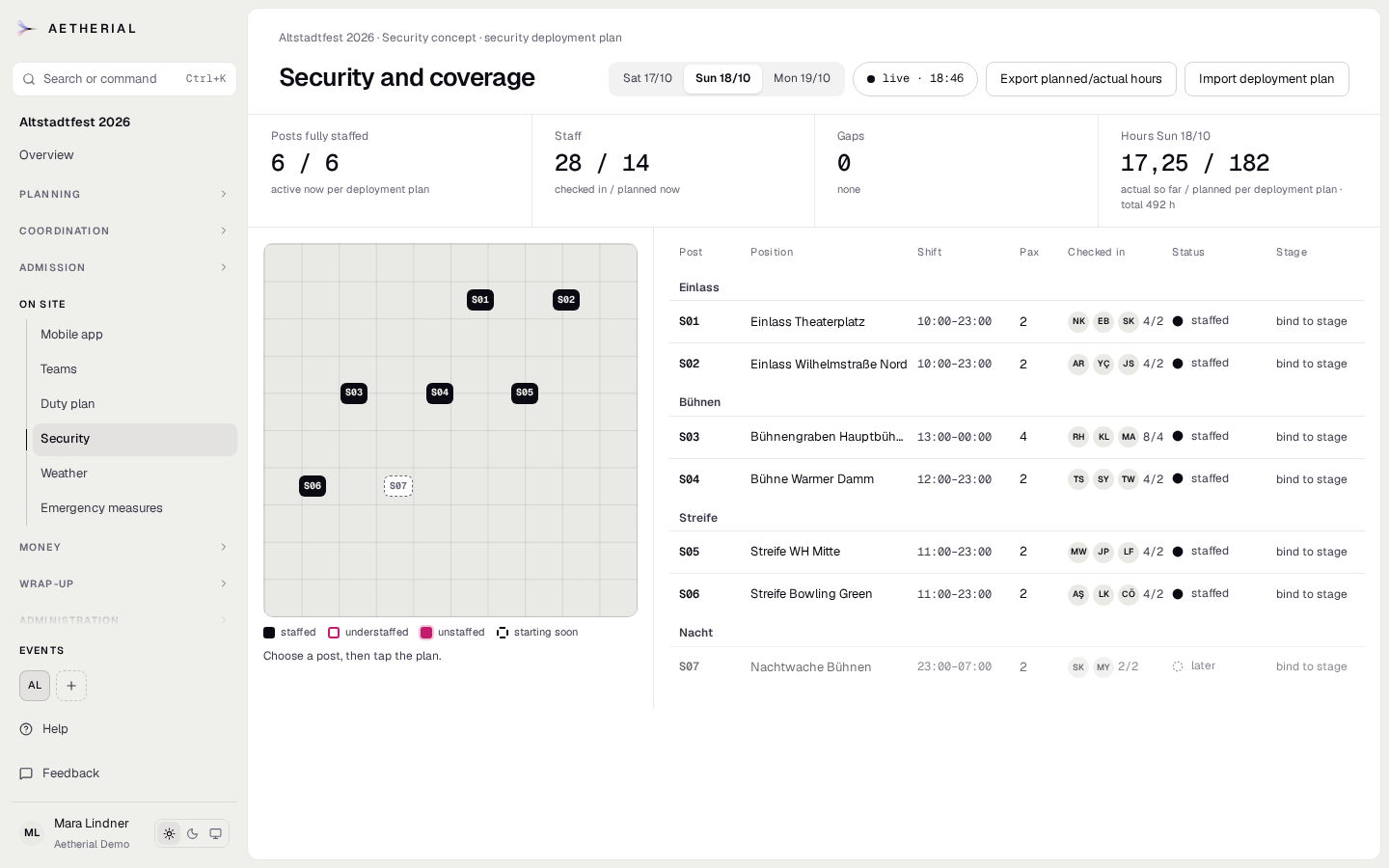
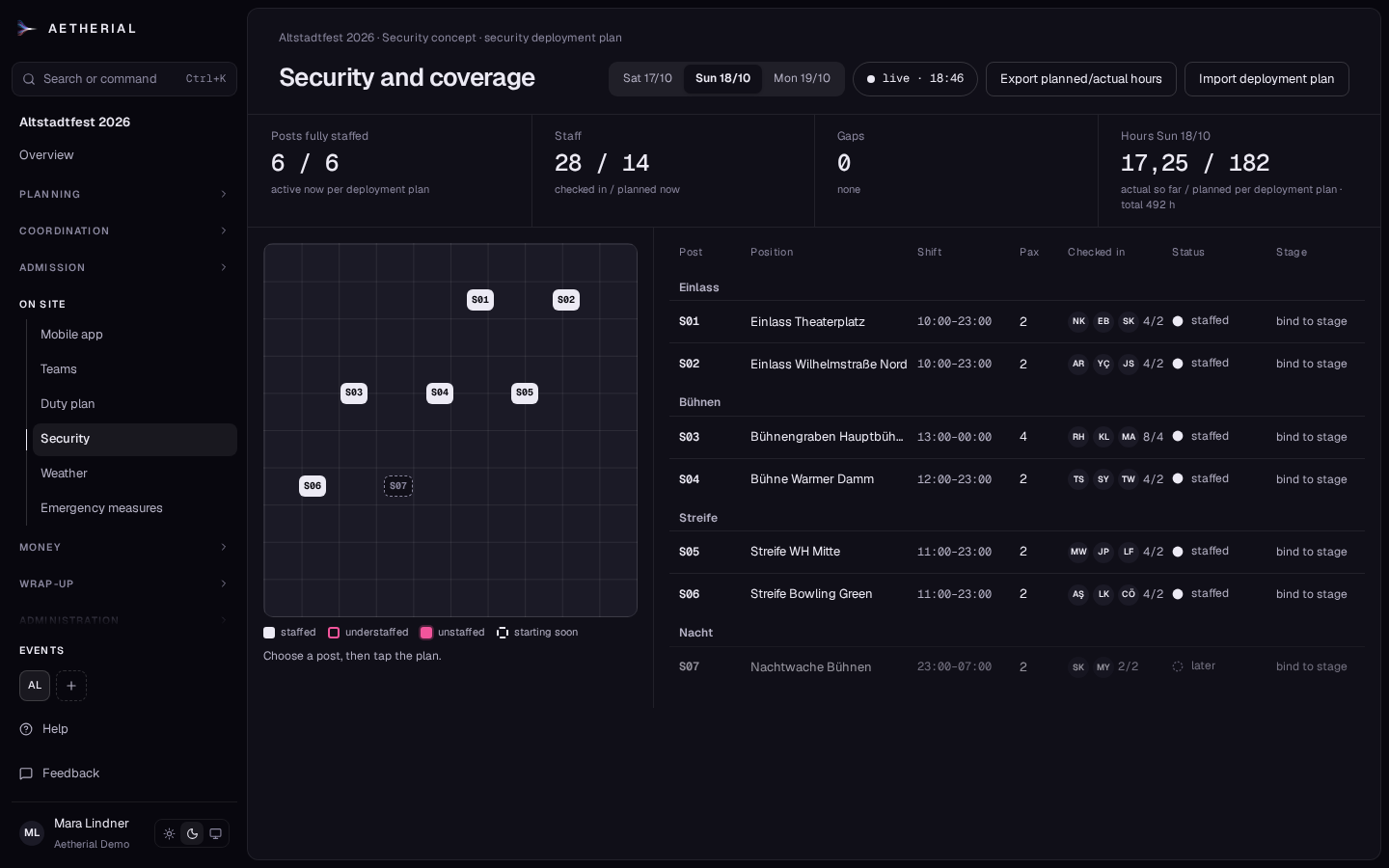
At the top the view “Day” or “All days” and in the day view the days (first setup to last teardown day and every day with shifts; setup and teardown days muted with “Setup” or “Teardown”), below the day’s figures:
- Posts fully staffed: staffed posts / posts active now per deployment plan.
- Staff: checked in / planned now.
- Gaps: count, below it the posts, e.g. “Z4 for 12 min”; red as soon as there is one.
- Hours with the selected day: actual so far / planned per deployment plan, below it the hours total.
If no shift of the day is running (another day, before duty starts), the first two figures show the day’s totals: Posts with shifts that day and Staff planned per deployment plan.
Hours are person-hours: planned is pax × shift duration, actual is the checked-in time. The figures show whole hours, the CSV two decimals.
The table shows the shifts per group (e.g. access points, access control, patrol) with Post, Position, Shift, Pax, Checked in, Status and, if the event has stages, Stage. A shift past midnight belongs to the day it starts.
Order (here, in “All days” and in the CSV): per group by SMA number in natural order (S 2 before S 10 before S 41; a range like “S 42 - 44” counts as 42), groups (including “no group”) by their smallest SMA number. Several shifts of one post on a day are ordered by start.
The status per shift:
- staffed: running, pax met.
- unstaffed for N min: running, nobody checked in (red).
- understaffed for N min: running, fewer than pax checked in (red).
- starts in N min: starts within the next 15 minutes, nobody there yet.
- later, shift ended.
On the current day the header shows “live · HH:MM”; the page then refreshes every minute. Staff check in on the phone at the security check-in.
“Export planned/actual hours” downloads a CSV with planned and actual hours per post and shift, e.g. for billing with the security company.
Posts by hand
Section titled “Posts by hand”“Add post” opens the post form; in the table a click on the post (e.g. “S12”) opens the same form for editing.
- Category (required): Position or Operations lead. Operations lead has its own block in “All days”.
- Position (required): name of the post, e.g. “Backstage stage guard”.
- SMA number (required, unique per event): e.g.
S12, also ranges likeS42-44. - Group (optional): the event’s groups are suggested.
- Kind and Note.
Below, per day, the shifts with Pax (1–999), Start and End. End before or equal to start means past midnight, at most 24 hours. Hours (pax × duration) appear per shift and in total right away. “Shift on …” adds a shift, the X removes it; a day without a shift stays empty. A shift bound to a stage only shows its times.
Duplicate (icon next to the post in the day view and in “All days”) opens “Add post” with the post’s category, position, group, kind, note and all its shifts; the SMA number is empty. Shifts bound to a stage come along as normal shifts with their current times. Site plan position, sector, security company and check-ins are not copied. Nothing is stored until “Save”.
Rebill
Section titled “Rebill”If an exhibitor orders extra security staff for their stand, you bill the post on to them. With the finance right the post form shows “Rebill”: tick it, choose the stand (the event’s stands by number and operator) and enter a “Rebilling hourly rate (net)” above €0. Whoever plans the deployment plan and reads finance may change it; with finance but no planning right it is read only (also under Costs), without finance it is hidden.
Amount = planned hours of the post over all days (pax × duration, the same hours as the costs) × rebilling hourly rate, rounded to the cent, plus 19 % VAT; computed, never stored. The stand shows it as its own line “Security <post>” in its costs (object page, stand list, operator link), the budget as income under Other. The post’s costs stay in the Security line. A stand with a rebilled post cannot be deleted. Duplicating a post and copying the event leave rebilling out; the import does not change it.
New posts go to the end. “Delete post” deletes the post with its shifts. Nothing is saved for an SMA number already in use, for removing a shift or deleting a post with check-ins (actual hours stay), or for deleting a post that is an entry gate of vehicle access.
The import creates new posts as operations lead when group or position contains “Einsatzleitung” or the number starts with EL, otherwise as position. A re-import keeps a post’s category.
All days
Section titled “All days”“All days” shows the whole deployment plan as a table: one row per post (per group by SMA number, see order; each block on its own) with Position and SMA number, per day Pax, from, to and h (several shifts of a day stacked), Total hours and the post’s Note. The blocks Positions and Operations lead each have a row “Total hours” per day and overall, below it “Total” for both.
A shift past midnight appears on every calendar day it touches, with that day’s times: on its start day from start to “24:00”, on the next day from “00:00” to end, each with the same pax and that day’s hours (e.g. Fri 06:00–Sat 06:00: Fri 18 h, Sat 6 h). If it ends exactly at midnight, it only appears on its start day until “24:00”. If a shift reaches past the last plan day, the table adds that day. “Total hours” and costs per day follow the calendar days; “Total hours” per post and the overall totals stay the same. It is still stored as one shift and edited in the post’s form under its day. The first column stays put when scrolling sideways. Here the agency opens a post’s form or deletes it.
With the finance right in the event, “All days” shows the costs of the deployment plan; without it only the hours.
- Hourly rate position and Hourly rate operations lead: net per person hour, empty = not set. Whoever plans the deployment plan and reads finance may change them.
- Other costs: flat items such as an operations centre or own radios, each with description, net amount and an optional note; add, edit, delete (with confirmation), in order of entry.
- In the table each block has a row “Costs” per day and overall (hours of the calendar day × hourly rate of the category, rounded to the cent per day). Below it the block “Other costs” (amount in the total column) and “Total costs”.
- If a category has hours but no hourly rate, it shows “–” with “Hourly rate missing”, never €0; “Total costs” is then incomplete.
- Rebilling: per rebilled post stand, hours, rate and net amount, read only.
The sum is the current plan of the Security line in the budget. The extra cost of a program shift uses the hourly rate of the shifted post’s category; without it, it is not computable. Hourly rates and other costs are copied with the event. Every change is in the log.
Gap alert
Section titled “Gap alert”If a post is unstaffed or understaffed for more than 10 minutes, a broadcast “Gap at post …” (e.g. “Gap at post Z4”) (important, push and SMS, with acknowledgement) goes out automatically to the agency and the site management of the post’s security company (without an assigned company: all security trades). One alert per gap.
Posts on the plan
Section titled “Posts on the plan”The plan shows placed posts as pins on the event’s current site plan, with zoom; a post therefore sits at the same spot as on the TV in the production office. Without an imported site plan the posts sit on a neutral grid. The agency chooses a post and taps the plan; “Remove position” takes it off again. Posts without a position are listed under “Not placed”.
Assignment
Section titled “Assignment”Per post the agency sets the sector and the security company (“Assign”). This decides who checks in there: the sector lead of that sector and the security company’s site management.
Below that is “Post …” (e.g. “Post Z4”) with kind (fixed, patrol, floater) and note; “Save” stores both. The table shows the kind after the name, except for “fixed”; the note appears as a tooltip.
Import the deployment plan
Section titled “Import the deployment plan”“Import deployment plan”: one sheet per day.
- Upload the Excel file, choose sheet and day (the day is suggested from the sheet name).
- Map columns: number, position, pax, from, to (required), plus group and hours for checking, optional Kind (fixed/patrol/floater) and note.
- Check: rows with errors block the import; nothing is imported halfway. A “total” row is compared with the computed hours (“matches” or “differs”).
- Import.
Headings without a number become a group. “to” before “from” means past midnight, 24:00 is the end of the day; a shift may be at most 24 hours long. Numbers are taken literally, ranges like S18–20 too, as one post with its pax.
The kind column recognises headers such as “Typ”, “Postenart”, “Postentyp” or “Kind” (an “Art” column is the group), the note also “Bemerkung”, “Notiz”, “Hinweis” or “Anmerkung”. Values: fest (also fix, stationär), Streife, Springer (also Reserve). An unknown kind is reported by the check as a warning (“kind not recognised …”); the post stays unchanged. An empty cell keeps the stored kind or note, so manual edits survive a re-import.
Bind a shift to a stage
Section titled “Bind a shift to a stage”In the stage column the agency binds a shift to the program of a stage on that day. The reference sets what start and end depend on, each plus a start offset and end offset in minutes (negative = earlier):
- first to last act: start at the first act, end at the end of the last act, e.g. front of stage −30 and 0.
- from end of last act: start and end at the end of the last act, e.g. teardown 0 and +60.
- one act: start and end of the chosen act, e.g. backstage for the headliner −15 and +15.
The shift then follows every change of the stage program and every applied shift; if no valid shift results (at most 24 hours), it stays unchanged. If the chosen act is deleted, cancelled or moved, or the stage has no program that day, the times stay and the column shows “reference without act”. “not bound” removes the binding, the times stay.
Importing the same day again replaces that day’s shifts (including their binding to a stage); posts keep their position, kind and note. If anyone has checked in on that day, nothing is imported and the shifts stay. Posts are the same as those of vehicle permits (e.g. access post Z4). Everything appears in the log.